
Direct answer
What is Parseur?
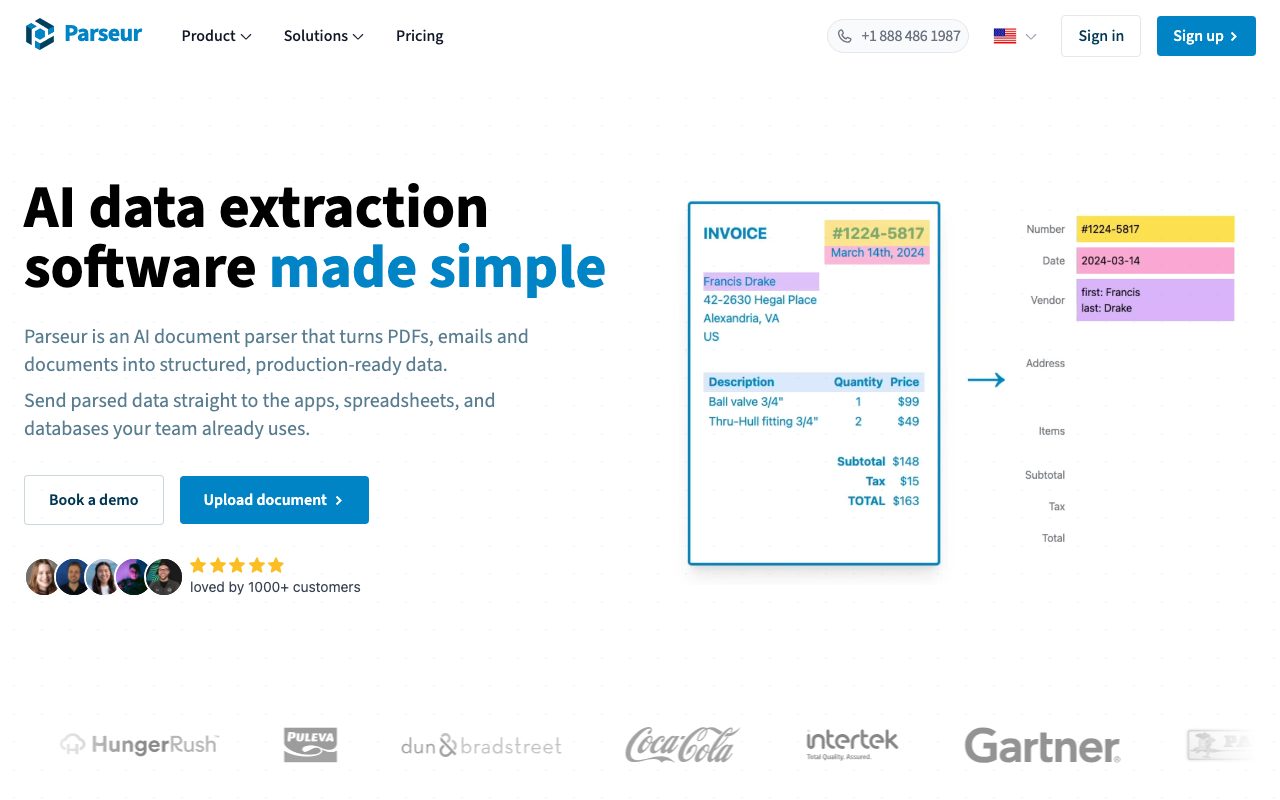
Parseur is an automated document processing platform that extracts structured data from emails, PDFs, scans, and spreadsheets using Vision AI, Text AI, and layout templates.
Parseur is a cloud-based document extraction platform designed to turn unstructured documents into normalized, machine-readable data. Operating in production since 2016, the system handles intake across several channels: dedicated email inboxes, direct drag-and-drop web uploads, REST API submissions, and automated cloud sync via workflow tools. Rather than forcing a choice between rigid templates and non-deterministic AI models, Parseur combines three parsing engines within a single mailbox: Vision AI for handling complex or visual document layouts, Text AI for plain-text content, and deterministic templates for fixed forms. The software automatically evaluates the incoming file to deploy the most appropriate engine. Extracted fields can be validated against customizable schemas, with automatic reformatting for numbers, addresses, and dates. For advanced requirements, teams can write custom Python snippets for post-processing data before delivery. Extracted records can be downloaded on demand as Excel, CSV, or JSON files, synchronized directly with Google Sheets, or piped into external business applications via webhooks, Zapier, Make, Power Automate, and n8n. The platform is hosted within the European Union, maintains SOC 2 Type II compliance, and supports customizable data retention schedules.
Parseur runs Vision AI, Text AI, and deterministic templates simultaneously within the same mailbox, allowing businesses to parse changing layouts with AI instructions while maintaining rule-based templates for fixed layouts.
Product capabilities
Key features
Triple-Engine Extraction
Combines Vision AI, Text AI, and layout templates within one mailbox, automatically deploying the best engine per document to extract structured fields and line-item tables.
Multi-Channel Intake
Captures documents by assigning dedicated forwarding email addresses, accepting web app uploads, ingesting files via REST API, or pulling from cloud storage.
Schema Normalization & Python Post-Processing
Automatically validates and standardizes data formats (dates, numbers, addresses) against mailbox schemas, with optional Python scripting for custom transformations on advanced plans.
Multilingual OCR
Built-in optical character recognition processes scanned documents and photographs across 200+ languages, including handwritten text.
Workflow Integrations and Webhooks
Streams parsed data instantly to target databases and CRMs using real-time webhooks, live Google Sheets sync, or connectors for Zapier, Make, Power Automate, and n8n.
Configurable Data Retention & Security
Provides EU-hosted infrastructure, SOC 2 Type II compliance, TLS 1.2+ transit encryption, AES-256 rest encryption, and user-defined document auto-deletion windows.
Practical fit
Who should use Parseur?
Accounts Payable Automation
Extract vendor details, invoice totals, tax values, line items, and purchase order numbers from incoming PDF bills, sending records straight into accounting systems.
Logistics & Delivery Processing
Parse shipping notices, bills of lading, and delivery confirmations to update internal inventory systems and track freight milestones automatically.
Lead and Form Parsing
Capture unstructured inbound notification emails from real estate portals, job boards, or web forms, mapping details into CRM or ATS records.
Google Alerts & Financial Monitoring
Automatically ingest Google Alert emails, extract headline links and summaries, and populate tracking sheets or research dashboards.
Editorial assessment
Pros and limitations
Where it is strong
- Supports both instruction-based AI extraction and strict layout templates within the same mailbox.
- Free plan provides 20 monthly pages and full access to the REST API, webhooks, and integrations without a credit card.
- Strict enterprise privacy safeguards: EU-hosted servers, SOC 2 Type II compliance, and zero AI training on customer data.
- Native OCR engine supports handwriting and over 200 languages.
Where to be careful
- Python post-processing scripting is restricted to Scale and Enterprise tiers.
- Free and Base tiers only support single-user accounts, requiring higher plans for team sharing.
- PDF usage is metered per page rather than per document, which consumes credits quickly on lengthy files.
Commercial context
Parseur pricing
At the review date (September 2026), Parseur offers a free tier granting 20 pages per month with access to the API and core parsing engines. Paid plans scale based on monthly page volume across Base, Scale, and Enterprise tiers. Multi-user accounts and Python post-processing require higher tiers. Readers should verify current volume pricing directly on the vendor's pricing page.
Pricing, limits, taxes, model access, and regional availability can change. Verify the purchase-critical details on the official pricing page linked under Sources.
Transparent ranking
Why Parseur scores 75.8
Each factor is scored on a 100-point scale, then combined using the public ToolsRank weights. Engagement and momentum stay at a neutral baseline until measured signals exist, so no tool can gain or lose position from numbers nobody recorded.
Compatibility
Languages, platforms, and integrations
Languages
- English
- German
- Spanish
- French
- Dutch
- Italian
Integrations & surfaces
- Zapier
- Make
- n8n
- Microsoft Power Automate
- Google Sheets
- Slack
- Salesforce
- Airtable
Community
Reviews and questions
No approved member reviews yet. Editorial factors above are the only rating on this page.
Reviews and questions come from Google-signed members and are checked by an editor before they appear.
Frequently asked
Parseur FAQ
How are credits calculated in Parseur?+
Parseur meters usage where 1 credit equals 1 processed page. For multi-page PDFs, each page counts as 1 credit (for example, a 3-page PDF costs 3 credits). In contrast, emails and spreadsheet files (such as CSVs) are counted as a single page regardless of their length, costing 1 credit each.
Does Parseur require technical setup or coding?+
No. Non-technical users can configure extraction fields and instructions using plain English in the web interface. However, developers have access to a complete REST API and real-time webhooks, while advanced users on the Scale tier can optionally apply Python scripts for post-processing.
What happens when document layouts change?+
Because Parseur's AI engine is instruction-based rather than reliant on fixed positional templates, it automatically adapts to layout shifts and variable vendor formats. If you use the template engine instead, you can add multiple templates to a single mailbox, and Parseur will automatically match incoming documents to the correct template.
Is Parseur compliant with data privacy regulations?+
Yes. Parseur stores and processes data on infrastructure located in the European Union. It complies with EU GDPR, UK GDPR, California CCPA/CPRA, and Singapore PDPA. The platform is SOC 2 Type II certified, with HIPAA compliance in progress, and customer document data is never used to train AI models.
What happens if a user exceeds their monthly page limit?+
Parseur sends warning emails at 90% usage. At 100%, processing pauses and incoming documents are marked as quota exceeded. Users can reprocess those documents after upgrading their plan, enabling early auto-renewal, purchasing top-up credits, or waiting for the next monthly billing cycle.