
Direct answer
What is Pieces?
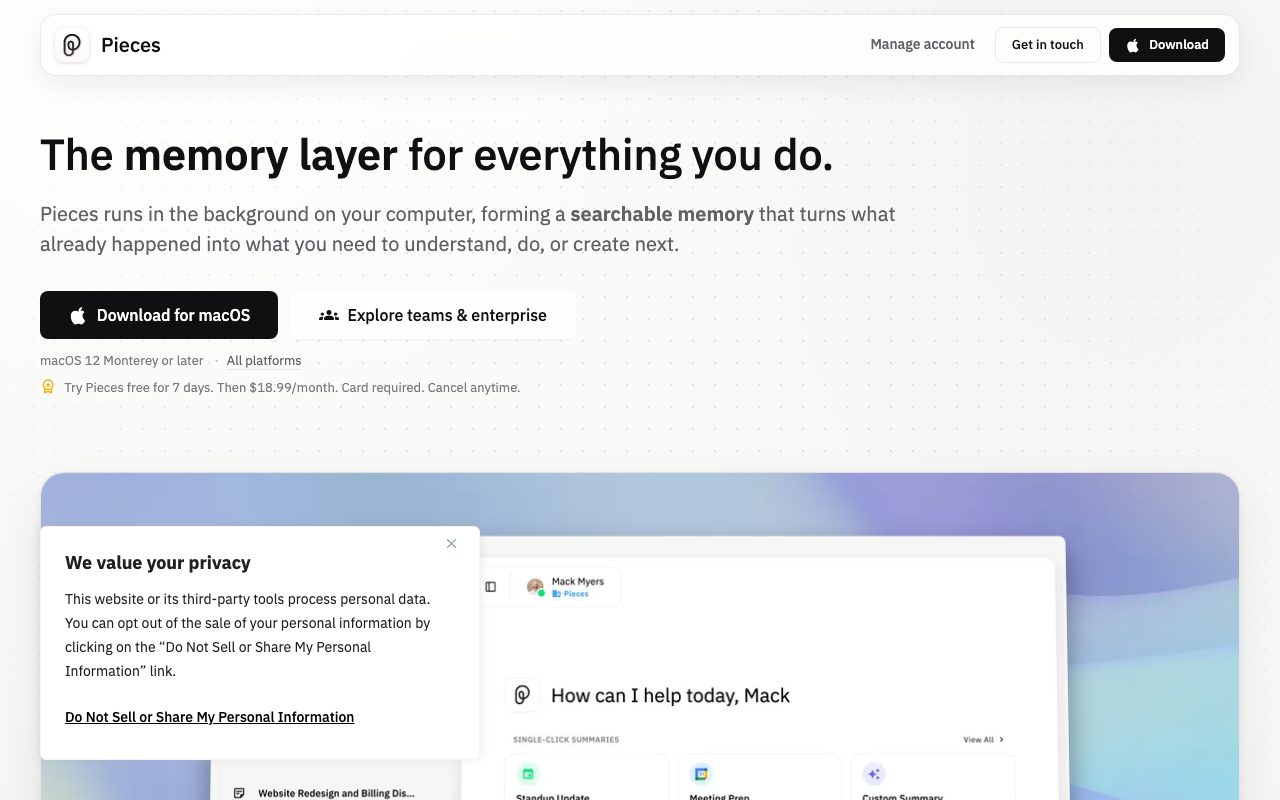
Pieces runs locally in the background to continuously record active application windows, copied content, and optional audio, building a searchable work memory that can be fed directly into AI assistants through the Model Context Protocol (MCP).
Pieces is an on-device contextual memory platform operated by Mesh Intelligent Technologies, Inc. Designed to bridge fragmented workflows, the desktop application samples the focused screen window every two seconds, captures clipboard events, and optionally transcribes audio to construct a chronological timeline of your technical work. Captured screenshots are processed on-device via optical character recognition and deleted immediately afterward. Rather than keeping your history isolated, Pieces exposes an on-device Model Context Protocol (MCP) server. This enables external coding agents and chat assistants—such as Cursor, Claude, Codex, and VS Code—to query your real cross-application history when generating code, debugging, or writing documentation. Users can query their timeline by time, topic, person, or tool to reconstruct research trails across browsers, IDEs, and team messaging apps. To safeguard sensitive credentials, Pieces includes an automated on-device redaction engine that strips API keys, passwords, and personal identifiers before passing text to cloud language models for summarization or chat. Default subscriptions allow users to switch between models from OpenAI, Anthropic, and Google, while enterprise accounts can bring their own API keys (BYOK) and enforce organization-wide capture rules.
Pieces captures cross-tool desktop and IDE context continuously on-device and exposes it to coding assistants like Cursor and Claude via an integrated Model Context Protocol (MCP) server.
Product capabilities
Key features
Continuous On-Device Capture
Captures focused window screenshots every two seconds and monitors clipboard actions, converting text locally and immediately discarding the images.
Model Context Protocol (MCP) Server
Carries your captured timeline and research history into external AI tools and coding environments, including Cursor, Claude, Codex, and VS Code.
On-Device Redaction Engine
Scans captured content locally using pattern matching to redact credentials, API keys, and sensitive personal information before sending data to cloud LLMs.
Cross-App Source Tracking
Maintains chronological history across development tools, browsers, productivity suites, and messaging platforms like Slack, Teams, Notion, and JetBrains.
Multi-Model Switching
Allows switching between cloud models from Anthropic, Google, and OpenAI, as well as local models, under a unified subscription.
Automated Briefs and Recaps
Generates standup updates, day summaries, and meeting prep packages directly from your real application timeline with one click.
Workflow
How Pieces works
- Install the Pieces desktop application to run in the background on your computer.
- Pieces samples your active window every two seconds, captures clipboard items, and parses text via on-device OCR.
- On-device pattern matching redacts sensitive credentials and personal data before transient cloud enrichment.
- Connect external AI editors and assistants like Cursor and Claude via the built-in MCP server to query your cross-app timeline.
Practical fit
Who should use Pieces?
Reconstructing Past Research Trails
Locate an article, documentation page, or code reference viewed days earlier across dozens of browser tabs and windows without re-running searches.
Injecting Work History into AI Coding Agents
Supply full context regarding recent terminal commands, IDE edits, and specifications to Cursor or Claude via MCP.
Generating Engineering Standup Updates
Compile a concise summary of closed tasks, edited repositories, and discussions across Jira, VS Code, and Slack for morning meetings.
Editorial assessment
Pros and limitations
Where it is strong
- Context memory is indexed and stored locally on your machine by default
- Built-in MCP server enables seamless context sharing with Cursor, Claude, and Codex
- On-device redaction strips secrets and credentials before any cloud model processing
- Provides a single subscription to switch between major LLMs from Anthropic, Google, and OpenAI
Where to be careful
- No permanent free plan; requires a credit card to access the 7-day trial
- Background screen and clipboard capture may trigger enterprise compliance and security concerns
- Local capture and OCR processing impose hardware resource overhead on user machines
Commercial context
Pieces pricing
At the September 2026 review date, Pieces offers a 7-day free trial that requires a payment card, followed by subscriptions starting at $18.99 per user per month billed monthly (with a 25% annual discount) or an Enterprise tier at $22.99 per user per month. Verify current rates on the official pricing page.
| Plan | Price | What it includes |
|---|---|---|
| Pro | $18.99 / user/month billed monthly (or 25% discount billed annually); 7-day trial requires card | |
| Enterprise | $22.99 / user/month billed monthly (also available at $69.99/user/quarter) |
Pricing, limits, taxes, model access, and regional availability can change. Verify the purchase-critical details on the official pricing page linked under Sources.
Transparent ranking
Why Pieces scores 76.1
Each factor is scored on a 100-point scale, then combined using the public ToolsRank weights. Engagement and momentum stay at a neutral baseline until measured signals exist, so no tool can gain or lose position from numbers nobody recorded.
Compatibility
Languages, platforms, and integrations
Languages
- English
Platforms
- macOS
- Windows
- Linux
Integrations & surfaces
- Cursor
- VS Code
- JetBrains
- Xcode
- Slack
- Microsoft Teams
- Discord
- Google Docs
- Notion
- Figma
- Google Meet
- Zoom
Community
Reviews and questions
No approved member reviews yet. Editorial factors above are the only rating on this page.
Reviews and questions come from Google-signed members and are checked by an editor before they appear.
Frequently asked
Pieces FAQ
Is Pieces free to use?+
No. The vendor does not offer a permanent free tier. New users must select a paid subscription plan, which begins with a 7-day free trial requiring a credit card, accompanied by a 14-day money-back guarantee.
Where does Pieces store captured data?+
Your content, memories, and search index are stored locally on your device by default. Pieces uses cloud language models transiently to enrich and summarize memories or generate chat replies, but raw captures and screenshots remain on-device.
How does the Pieces MCP integration work?+
Pieces includes a Model Context Protocol (MCP) server that exposes your chronological activity context to compatible AI assistants, such as Claude, Cursor, and Codex, allowing them to pull recent files, tabs, and discussion trails into their prompts.
Does Pieces train AI models on my data?+
No. According to the vendor's privacy documentation, your captured content, personal details, and connected third-party data are never used to train, fine-tune, or evaluate any proprietary or public AI models.
Can I prevent Pieces from capturing sensitive applications?+
Yes. You can pause capture at any time, disable specific sources (such as screen vision, clipboard, or audio), and explicitly allow or deny specific desktop applications and websites from being captured.