
Direct answer
What is Slab?
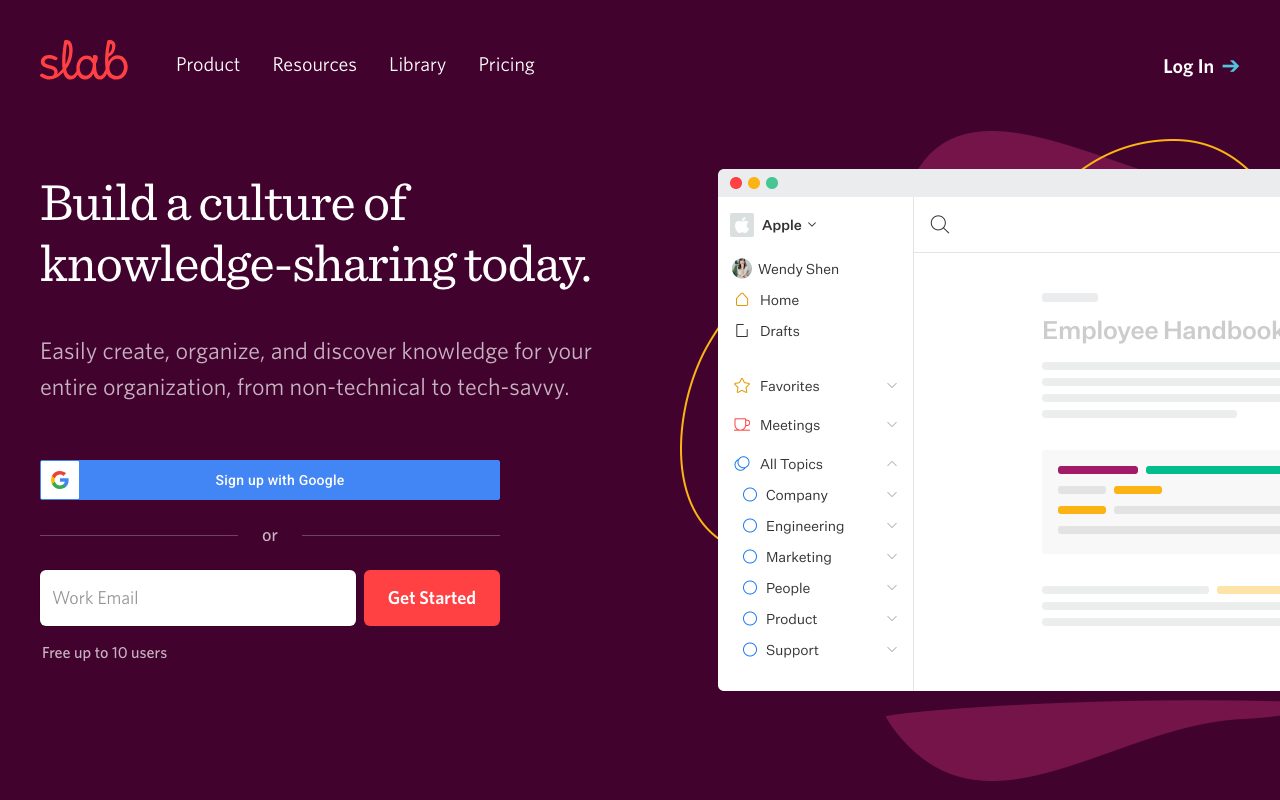
Slab is a modern knowledge base and wiki platform designed to help teams create, organize, and discover documentation using structured Topics, clean editing, and unified search across external tools.
Slab provides a purpose-built knowledge base and internal wiki engineered to facilitate clear documentation across technical and non-technical teams. Instead of positioning itself as an all-in-one project management system, the platform concentrates entirely on knowledge sharing, integrating with surrounding task managers, spreadsheets, and file storage. Content creation is powered by an intuitive editor designed to produce clean, well-formatted documents by default with real-time collaboration. Organization is handled through Slab Topics, which provide structured context to company policies, meeting records, and guides rather than relying solely on traditional folder hierarchies. For information retrieval, Slab incorporates Unified Search, pulling relevant query results from internal Slab posts as well as integrated third-party platforms like Slack, GitHub, and Google Drive. Higher-tier plans incorporate AI capabilities including AI Autofix, AI Predict, and conversational AI Ask, alongside administrative features such as post verification cycles, custom domains, SAML SSO, and SCIM provisioning.
Slab focuses strictly on knowledge management rather than trying to replace an entire workplace stack, pairing standardized document formatting with Unified Search that indexes both internal posts and connected tools like GitHub, Slack, and Google.
Product capabilities
Key features
Unified Search
Searches across internal Slab posts and connected external services including Google Drive, Slack, GitHub, and Asana to deliver consolidated results in one interface.
Topic-Based Contextual Organization
Structures knowledge into contextual Topics to help team members browse, discover, and maintain company policies, procedural handbooks, and team insights.
Clean-by-Default Editor
Standardizes document styling automatically so team members can focus on writing, supported by real-time collaboration and pre-built templates.
AI Content Tools (Autofix, Predict, Ask)
Provides automated proofing with AI Autofix, predictive text assistance with AI Predict, and natural-language question answering via AI Ask on supported tiers.
Content Verification Workflows
Includes verification features designed to help administrators and post owners keep documentation accurate and routinely reviewed.
Enterprise Security and Access Control
Offers SAML-based SSO, SCIM automated provisioning, audit logs, two-factor authentication, and compliance with SOC 2 Type 2, SOC 3, and GDPR standards.
Workflow
How Slab works
- Create posts inside a standardized editor that automatically applies consistent typography and formatting.
- Organize related documentation into contextual Topics and private topics to structure company guidelines and projects.
- Connect third-party workspaces like GitHub, Slack, and Google Drive to enable cross-platform search.
- Search across internal wiki articles and connected apps using Unified Search or conversational AI Ask on supported plans.
Practical fit
Who should use Slab?
Internal Company Wikis
Centralizing company policies, onboarding guides, and standard operating procedures with recurring verification workflows.
Engineering and Technical Documentation
Documenting code review processes, system architectures, and engineering handbooks with direct integrations to GitHub.
Cross-Stack Knowledge Discovery
Finding answers distributed across chat logs, task managers, and cloud drives via Slab Unified Search.
Editorial assessment
Pros and limitations
Where it is strong
- Free plan supports up to 10 users with unlimited posts, topics, templates, and real-time collaboration.
- Unified Search retrieves content from integrated external applications like Slack, GitHub, and Google.
- Independently verified security posture with SOC 2 Type 2, SOC 3, and GDPR compliance.
- Free Startup tier access available for non-profit and educational institutions upon request.
Where to be careful
- Does not support read-only user accounts; edit permissions are governed by topic and membership boundaries.
- Key AI retrieval capabilities (AI Ask) and custom domains require upgrading to the Business tier or higher.
Commercial context
Slab pricing
Pricing snapshot as of the 2026-09-08 review date reflecting annual billing ($6.67/user/month for Startup and $12.50/user/month for Business). Always verify current monthly rates and enterprise quotes on the official pricing page.
| Plan | Price | What it includes |
|---|---|---|
| Free | $0 / monthly / user (up to 10 users, free forever) | |
| Startup | $6.67 / user / month (billed annually) | |
| Business | $12.50 / user / month (billed annually) | |
| Enterprise | Custom / contact sales (at least 100 users) |
Pricing, limits, taxes, model access, and regional availability can change. Verify the purchase-critical details on the official pricing page linked under Sources.
Transparent ranking
Why Slab scores 75.4
Each factor is scored on a 100-point scale, then combined using the public ToolsRank weights. Engagement and momentum stay at a neutral baseline until measured signals exist, so no tool can gain or lose position from numbers nobody recorded.
Compatibility
Languages, platforms, and integrations
Languages
- English
Platforms
- Web
- Desktop App
- Chrome Extension
Integrations & surfaces
- Slack
- GitHub
- Asana
- Okta
- Stripe
Community
Reviews and questions
No approved member reviews yet. Editorial factors above are the only rating on this page.
Reviews and questions come from Google-signed members and are checked by an editor before they appear.
Frequently asked
Slab FAQ
Can I use Slab for free?+
Yes. Slab offers a free plan for up to 10 users plus guests. It includes unlimited posts and topics, real-time collaboration, templates, verification workflows, unified search, and up to 10 standard integrations without requiring a credit card.
Does Slab provide read-only user accounts?+
No. According to Slab's documentation, edit access is determined by how content is organized and shared across topics. Slab does not offer a designated account type that inherently cannot edit anything.
What is the difference between regular users and guests?+
Regular users by default have access to all open topics and published posts across the workspace. Guests only have access to the specific topics, and posts within those topics, that they have been explicitly invited to join.
What AI features are included in Slab?+
Slab includes AI Autofix for content improvements on Startup, Business, and Enterprise tiers. Predictive text assistance (AI Predict) and natural-language question answering (AI Ask and Advanced AI Ask) are available on the Business and Enterprise plans.
Does Slab offer non-profit or educational discounts?+
Yes. Slab provides its Startup plan free of charge for non-profit and educational use. Organizations can create a free account and submit a request to apply the discount.
What happens if a team is unsatisfied after purchasing Slab?+
Slab provides a 30-day money-back guarantee with no questions asked for unsatisfied customers.