Direct answer
What is Veed?
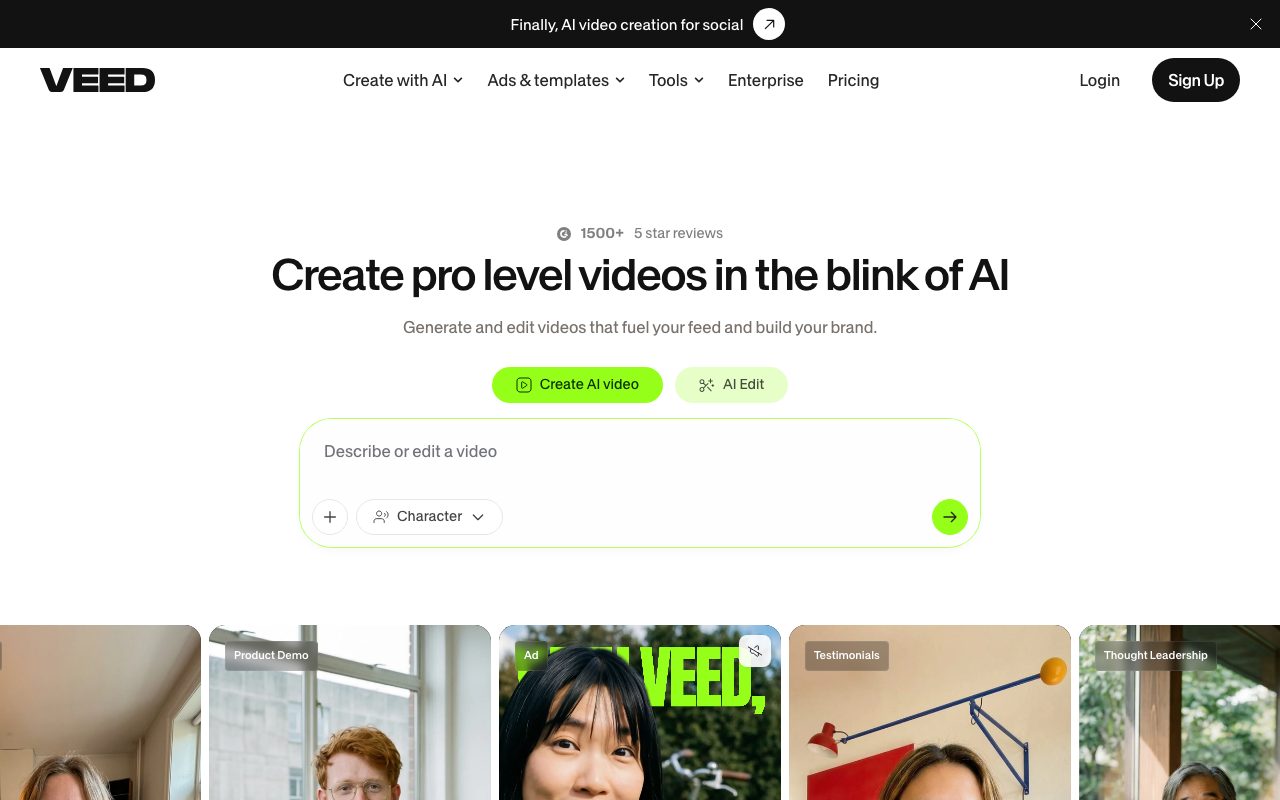
Veed is a browser-based video editing and generation platform that pairs traditional timeline editing with AI tools for subtitles, voice cloning, avatars, and text-to-video synthesis.
Veed operates entirely in web browsers to handle end-to-end video creation without local hardware configuration. The platform integrates traditional video editing utilities—including cutting, joining, cropping, compressing, and template application—with generative AI models such as Fabric 1.0, Sora 2, Veo 3.1, and Kling AI. Creators can record webcam and screen sessions with an in-app teleprompter, apply noise reduction, and use eye-contact correction to polish talking-head footage. For post-production and distribution, Veed generates automated styled captions, handles video translation and dubbing, and offers synthetic avatars and voice cloning to produce localized or brand-consistent content.
Veed combines browser-based timeline video editing with multi-model AI video generation (supporting models like Kling, Sora 2, and Veo), AI avatars, automated subtitles, and developer APIs in a single platform.
Product capabilities
Key features
Browser-Based Video Editor
Trim, split, merge, crop, resize, and compress video clips directly in the browser with brand colors, fonts, and template overlays.
Automatic Subtitles and Dubbing
Transcribes spoken audio into styled captions, provides multi-language subtitle translation, and generates voice dubbing.
Multi-Model AI Video Generation
Generates video from text prompts and still images using third-party and native models including Fabric 1.0, Sora 2, Veo 3.1, and Kling.
AI Avatars and Eye Contact Correction
Produces talking-head presentations from text scripts using avatars, talking photos, lip sync, and automated gaze correction.
Audio Cleanup and Voice Generation
Removes background noise from audio and video recordings, clones voices, and generates synthetic speech and background music.
Screen and Webcam Recording
Records camera feeds and desktop displays simultaneously with an integrated on-screen teleprompter for product demos and pitches.
Workflow
How Veed works
- Record webcam, microphone, and screen footage with the built-in recorder and teleprompter, or upload existing media files.
- Use AI tools to transcribe audio, generate subtitles, fix eye contact, remove background noise, or generate synthetic video clips.
- Edit on the browser timeline by adding text, animations, and templates, then export or host the final video.
Practical fit
Who should use Veed?
Social Video Repurposing
Extracting clips, adding animated captions, and reformatting horizontal footage into vertical videos for TikTok, Reels, and YouTube Shorts.
Product Demos and Walkthroughs
Recording software demonstrations with webcam overlays, using eye contact correction and noise removal before distributing or hosting.
Multilingual Video Localization
Translating spoken dialogue into target-language subtitles or localized synthetic voice dubbing for international marketing.
Editorial assessment
Pros and limitations
Where it is strong
- Operates entirely inside modern web browsers without requiring desktop application installations.
- Combines screen recording, timeline editing, captioning, and generative AI under one subscription.
- Integrated presenter aids including eye-contact correction and a built-in teleprompter.
- Broad access to diverse video generation models including Kling, Sora 2, and Veo.
Where to be careful
- Detailed subscription tier prices, render limits, and AI credit allotments are omitted from the main pricing landing page.
- Vendor privacy terms note that personal data uploaded under the free subscription may be used to train and refine AI models.
- High-resolution video processing and generation are bound to internet connectivity and cloud queues.
Commercial context
Veed pricing
At the review date in September 2026, Veed provides a free tier alongside paid and enterprise plans, though specific plan pricing, credit allotments, and export caps were not detailed on the pricing landing page. Users should verify current pricing directly on the vendor's site.
Pricing, limits, taxes, model access, and regional availability can change. Verify the purchase-critical details on the official pricing page linked under Sources.
Transparent ranking
Why Veed scores 69.6
Each factor is scored on a 100-point scale, then combined using the public ToolsRank weights. Engagement and momentum stay at a neutral baseline until measured signals exist, so no tool can gain or lose position from numbers nobody recorded.
Compatibility
Languages, platforms, and integrations
Languages
- English
Platforms
- Web
Integrations & surfaces
- Fabric API
- Lip Sync API
- Subtitle API
- Background Removal API
Community
Reviews and questions
No approved member reviews yet. Editorial factors above are the only rating on this page.
Reviews and questions come from Google-signed members and are checked by an editor before they appear.
Frequently asked
Veed FAQ
Can I use Veed for free?+
Yes, Veed provides a free option to try its editing and generation features, though users should note that the privacy policy permits user content submitted on free accounts to be used for AI model training.
Does Veed require any software downloads?+
No, Veed runs in web browsers, handling recording, editing, transcription, and exporting without demanding specialized local hardware.
Which generative video models are available in Veed?+
Veed's official feature list includes access to Fabric 1.0, Sora 2, Veo 3.1, and Kling AI (including Kling 3.0) for text-to-video and image-to-video creation.
What tools does Veed provide for presenter videos?+
The platform includes a webcam and screen recorder, an on-screen teleprompter, AI eye contact correction to fix camera alignment, and automated background noise removal.