Direct answer
What is Google Agentspace?
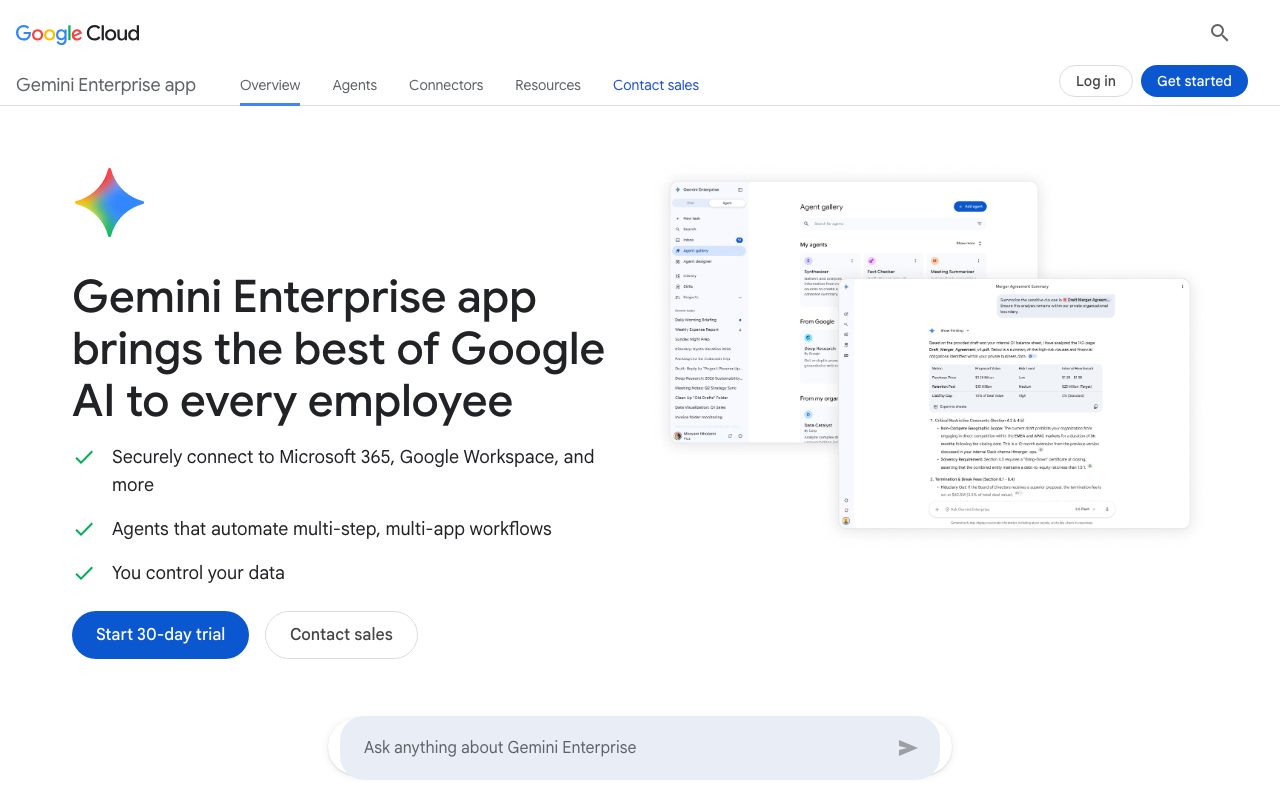
Google Agentspace (branded as Gemini Enterprise app) gives organizations unified intranet search and no-code AI agent building across SaaS tools like Microsoft 365, Google Workspace, Jira, and SharePoint.
Google Agentspace (marketed as the Gemini Enterprise app) is an enterprise platform combining permission-aware workplace search, conversational assistance, and agent orchestration. It bridges data silos by offering pre-built connectors to cloud storage and enterprise productivity suites, including Google Drive, Microsoft OneDrive, SharePoint, Confluence, Jira, and HubSpot. The system enables employees to query business repositories using natural language, returning answers grounded in organization-specific data without violating permissions. Beyond basic search, users can run multi-step, multi-app agentic workflows. Teams can build custom automations through a drag-and-drop Workflow Builder or deploy pre-engineered agents, such as Gemini Notebook and Deep Research. For developers, the platform integrates with Google's Agent Development Kit (ADK) and developer tools like Android Studio and Google Antigravity. Governance and security are central to the platform. It integrates Model Armor to block prompt injection, sensitive data leakage (PII, credentials), and malicious links at runtime. Administrative controls include Customer-Managed Encryption Keys (CMEK), VPC Service Controls, data residency boundaries, and compliance support for HIPAA and FedRAMP High workloads.
Unlike generic AI chat interfaces, it couples deep permission-aware connectors for both Google Workspace and Microsoft 365 environments with native Model Armor threat screening and no-code agent building.
Product capabilities
Key features
Unified Enterprise Search
Query across business tools including Google Drive, OneDrive, SharePoint, Jira, Confluence, and HubSpot using permission-aware, multimodal search.
No-Code Workflow Builder
Create custom agents and automate multi-step, multi-app business tasks through a drag-and-drop visual interface.
Pre-built Agent Fleet
Access specialized Google-made agents such as Deep Research and Gemini Notebook for research and synthesis.
Model Armor Security
Runtime AI firewall that screens prompts and outputs to block prompt injection, prevent PII or credential leaks, and halt malicious URLs.
Enterprise Compliance & Sovereignty
Support for VPC Service Controls, Customer-Managed Encryption Keys (CMEK), Access Transparency, data residency boundaries, HIPAA, and FedRAMP High.
Extensibility via Agent Development Kit
Import custom and third-party agents developed using Google's Agent Development Kit (ADK) in Standard and Plus editions.
Workflow
How Google Agentspace works
- Connect company repositories like Microsoft 365, Google Workspace, Jira, and SharePoint via pre-built connectors.
- Data indexing maps internal permissions and knowledge sources into a secure retrieval foundation.
- Employees query the unified chat interface or invoke domain-specific agents to summarize, generate content, or run workflows.
- Runtime security layer (Model Armor) filters inputs and outputs for prompt injections and sensitive data leaks.
- Admins configure no-code workflows or import ADK agents with centralized visibility and policy enforcement.
Practical fit
Who should use Google Agentspace?
Cross-Platform Knowledge Discovery
Search across scattered corporate repositories to locate internal documentation, project owners, and financial filings through a single prompt.
Agentic Marketing and Sales Intelligence
Synthesize market trends, run deal forecasting, draft email responses, and build campaign assets across CRM and martech data.
Legal and Financial Analysis
Accelerate regulatory scanning, NDA drafting, DSAR responses, KYC checks, and risk analysis using domain-specific agent skills.
Employee Support and HR Triage
Deliver 24/7 internal HR and expense policy answers to staff while automating onboarding workflows.
Editorial assessment
Pros and limitations
Where it is strong
- Native support for both Microsoft 365 (OneDrive, SharePoint) and Google Workspace data repositories
- Model Armor runtime protection included against prompt injection and sensitive data leaks
- Provides both no-code drag-and-drop agent building and ADK-based developer extensibility
- Customer data and prompts are not used to train Google models or sold to third parties
Where to be careful
- Advanced governance features like VPC-SC and CMEK require Standard or Plus editions
- Certain developer capabilities such as Google Antigravity and Pay-as-you-go edition are rolling out gradually to select groups
Commercial context
Google Agentspace pricing
At the review date (September 2026), pricing starts at $21 per seat/month for the Business edition and $30 per seat/month for Standard/Plus editions. A usage-based Pay-as-you-go edition ($0 seat fee, minimum 20 seats) is rolling out. Frontline editions and custom enterprise tiers require contacting sales. Verify current rates on Google Cloud.
| Plan | Price | What it includes |
|---|---|---|
| Business | $21 / per seat / month (billed monthly or annually as listed by vendor starting rate) | |
| Standard / Plus | $30 / per seat / month starting rate | |
| Pay-as-you-go | $0 / seat fee (usage billed at standard resource rates; requires 20+ seats) |
Pricing, limits, taxes, model access, and regional availability can change. Verify the purchase-critical details on the official pricing page linked under Sources.
Transparent ranking
Why Google Agentspace scores 76.1
Each factor is scored on a 100-point scale, then combined using the public ToolsRank weights. Engagement and momentum stay at a neutral baseline until measured signals exist, so no tool can gain or lose position from numbers nobody recorded.
Compatibility
Languages, platforms, and integrations
Languages
- English
- Italian
- Spanish
- French
- German
Platforms
- Web
- Mobile web
Integrations & surfaces
- Google Workspace
- Microsoft 365
- Google Drive
- Microsoft OneDrive
- Microsoft SharePoint
- Jira
- Confluence
- HubSpot
- ServiceNow
- Android Studio
Community
Reviews and questions
No approved member reviews yet. Editorial factors above are the only rating on this page.
Reviews and questions come from Google-signed members and are checked by an editor before they appear.
Frequently asked
Google Agentspace FAQ
What is Google Agentspace / Gemini Enterprise app?+
It is an enterprise agentic platform that brings generative AI and unified intranet search to employees, enabling teams to discover, create, share, and govern AI agents grounded in internal organizational data.
Does Google use enterprise data to train its models?+
No. According to Google Cloud's official terms, your data—including prompts, outputs, and internal documents—is not used to train Google models or models for any other customer, nor is it sold or used for advertising.
What is the difference between Business and Standard/Plus editions?+
The Business edition supports up to 300 seats with 25 GiB pooled storage per seat and basic no-code agent building. Standard and Plus editions support unlimited seats, 75 GiB pooled storage per seat, third-party agents, Agent Development Kit (ADK) imports, and advanced security such as VPC-SC and CMEK.
What is Model Armor?+
Model Armor is a built-in AI security system that provides in-line threat protection. It blocks prompt injection attacks, detects malicious URLs, and monitors against sensitive data leakage, such as personal identifiable information (PII) or credentials.