
Direct answer
What is Rask AI?
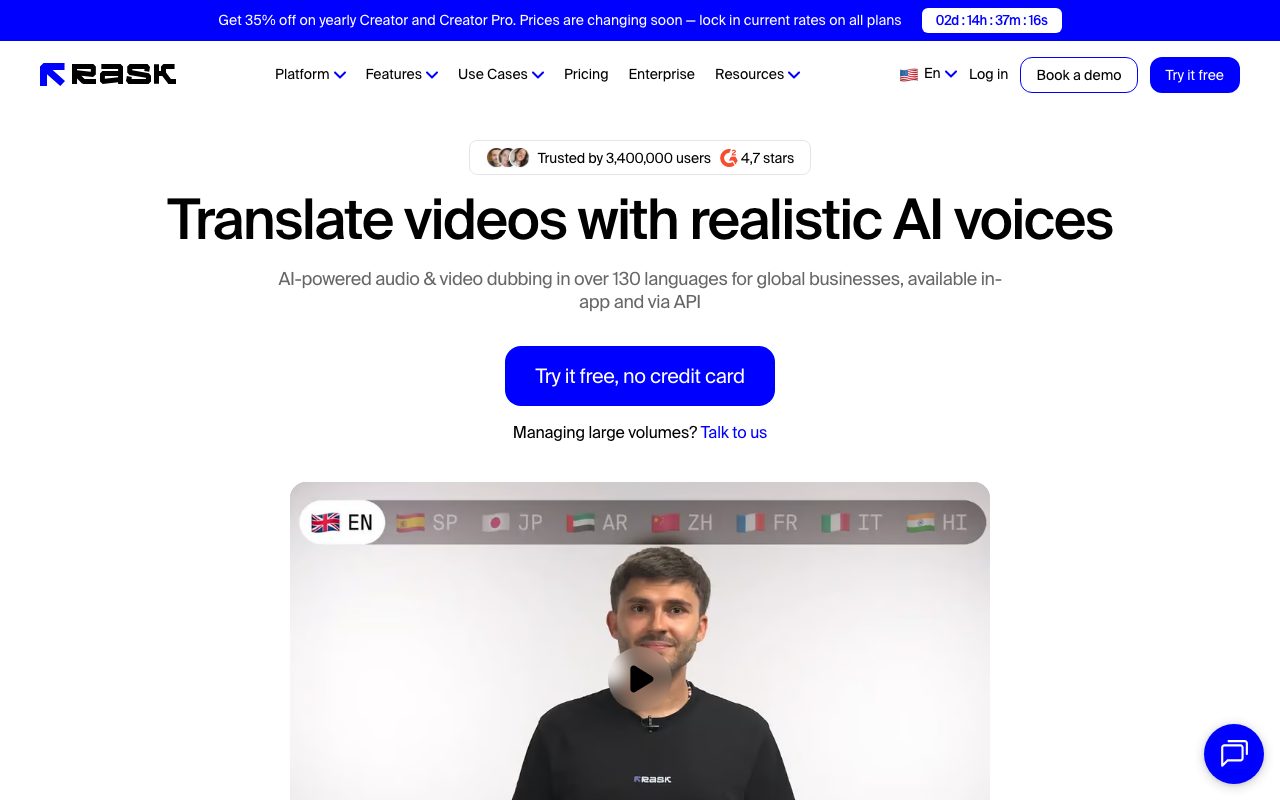
Rask AI is a video and audio localization platform that translates spoken content into over 130 languages. It combines speech-to-text, voice cloning across 32 languages, multi-speaker recognition, and AI-driven lip-sync matching.
Rask AI provides an automated localization pipeline designed to translate and dub video and audio files across more than 130 languages. The platform automatically transcribes speech into text, generates translated audio, and applies synthetic voices with realistic accents and intonations. For branded or personal media, its voice cloning capability can reproduce the original speaker's vocal profile across 32 supported target languages. Beyond basic dubbing, the service features AI lip-sync tools to align mouth movements with the newly translated speech track, available in standard and enhanced rendering models. Multi-speaker detection isolates and handles multiple distinct voices within a single clip. Editors can refine outputs directly through a built-in interface that provides transcript editing, timestamp adjustments, speaker re-tagging, SRT subtitle downloads/uploads, and translation prompt instructions. For enterprise workflows and high-volume media operations, Rask AI supports shared brand glossaries, reviewer approval workflows, team workspaces, and REST API access. The vendor maintains SOC 2 Type II and GDPR compliance, along with C2PA and Content Authenticity Initiative certifications for media provenance.
Rask AI combines full audio dubbing and voice cloning in 32 languages with multi-speaker detection and pixel-level AI lip-sync, all manageable via an interactive transcript and translation editor or automated through an API.
Product capabilities
Key features
Multilingual Video and Audio Translation
Translates spoken speech from source recordings into more than 130 languages with automatic speech-to-text transcription.
Voice Cloning in 32 Languages
Recreates the original speaker's vocal tone, emotion, and characteristics in 32 target dubbing languages.
Multi-Speaker Detection
Automatically recognizes and separates different individual speakers in a single audio or video file.
AI Lip-Sync
Adjusts the speaker's mouth movements in the video to synchronize with the translated audio using standard or enhanced rendering modes.
Transcript and Subtitle Editor
Enables manual fine-tuning of transcript text, timing stamps, speaker assignments, and SRT import or export.
Translation Dictionary and Glossaries
Allows teams to specify approved terminology and translation prompting to maintain brand consistency across projects.
Dubbing API and Automation
Enables programmatic batch processing, video translation, and lip-sync integration into external production pipelines.
Workflow
How Rask AI works
- Upload a video or audio file directly or link a supported video like a YouTube URL.
- Select target languages, enable voice cloning, and choose optional multi-speaker or lip-sync processing.
- Use the built-in editor to review the automatic transcription, refine translations, and adjust timestamps or terms.
- Export the final rendered video with dubbed audio, embedded captions, or download separate SRT files.
Practical fit
Who should use Rask AI?
YouTube and Content Creator Distribution
Translating YouTube videos, shorts, and podcasts into foreign languages with synchronized lip-sync and custom voice cloning.
EdTech and Educational Courses
Localizing lecture series and courseware libraries into multiple languages while preserving instructor vocal identity.
Corporate and Customer Training
Translating employee onboarding, internal training, and software walkthroughs across international offices with shared terminology.
Marketing and Commercial Campaigns
Adapting promotional video assets for regional markets with contextual translation prompting and custom brand glossaries.
Editorial assessment
Pros and limitations
Where it is strong
- Supports translation into over 130 languages with voice cloning in 32 languages
- Offers multi-speaker detection and automated lip-sync adjustment
- Includes an integrated editor for editing transcripts, timestamps, and SRT files
- Provides SOC 2 Type II certification and C2PA content authenticity compliance
- Annual plans allow unused minutes to roll over during active subscriptions
Where to be careful
- Monthly plans do not carry over unused minutes past the billing cycle
- Enhanced Lip-Sync consumes 3 additional universal minute credits per minute of video
- Videos longer than 3 hours must be split manually into smaller parts for reliable processing
Commercial context
Rask AI pricing
At the review date, Rask AI provides a free trial with 3 localization minutes and no credit card required. Paid subscriptions start at $60 per month ($33 per month billed annually at $396/year) for 25 monthly minutes on Creator, rising to Creator Pro ($150/month for 100 minutes) and Business ($750/month for 500 minutes). Additional tiers and Enterprise plans are also offered. Always verify current rates on the official pricing page.
| Plan | Price | What it includes |
|---|---|---|
| Free trial | $0 / one-time trial credits | |
| Creator | $60 / month | |
| Creator Pro | $150 / month | |
| Business | $750 / month | |
| Enterprise | Custom / custom |
Pricing, limits, taxes, model access, and regional availability can change. Verify the purchase-critical details on the official pricing page linked under Sources.
Transparent ranking
Why Rask AI scores 74.5
Each factor is scored on a 100-point scale, then combined using the public ToolsRank weights. Engagement and momentum stay at a neutral baseline until measured signals exist, so no tool can gain or lose position from numbers nobody recorded.
Compatibility
Languages, platforms, and integrations
Languages
- English
- Spanish
- French
- German
- Japanese
- Chinese
Platforms
- Web
Integrations & surfaces
- YouTube
- REST API
- Webhooks
- Stripe
Community
Reviews and questions
No approved member reviews yet. Editorial factors above are the only rating on this page.
Reviews and questions come from Google-signed members and are checked by an editor before they appear.
Frequently asked
Rask AI FAQ
How are minutes calculated and deducted in Rask AI?+
Minutes serve as universal credits for translation and lip-syncing. One minute of final translated audio or video consumes 1 minute credit. Standard Lip-sync costs 1 additional credit per video minute, while Enhanced Lip-sync (in beta) consumes 3 credits per video minute. For example, translating and applying Enhanced Lip-sync to a 1-minute video uses 4 minutes total.
Do unused minutes roll over each month?+
On annual subscription plans, unused minutes roll over and accumulate for as long as your subscription remains active. On monthly plans, unused minutes do not roll over and expire at the end of each billing cycle.
How many languages support voice cloning?+
While translation is supported across more than 135 languages, Voice Cloning is available from any source language into 32 target languages, including English, Japanese, Chinese, German, Hindi, French, Korean, Portuguese, Italian, Spanish, and others.
Are there video length or file size limits?+
Subscribed users do not have explicit hard limits on video duration or file size, but the vendor recommends splitting videos longer than 3 hours into separate segments to avoid processing errors.
Can I edit the generated translations and transcripts?+
Yes. The built-in editor allows you to adjust the original transcript, modify translated text, edit timestamps, change speaker assignments, and upload or download SRT caption files.


