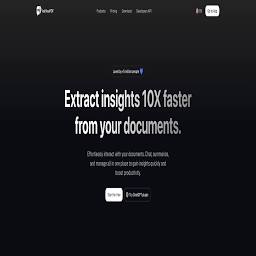
Chat with documents, auto-fill PDF forms, and embed document-trained website agents
Full evaluationTools by task · 24 ranked · updated Sep 23, 2026
Best AI tools for chatting with my PDFs
Chatting with my PDFs is a ai knowledge management job. The right knowledge tool respects existing permissions, cites the source document for every answer, connects to the apps where knowledge actually lives, and improves as teams correct it, rather than becoming another silo. The strongest fits right now are AskYourPDF (free tier / from $11.99/mo (billed yearly)), Notion AI (plan-dependent ai), Logseq (free for personal use); AskYourPDF leads because it is best for researchers reading dense literature, administrative staff filling repetitive PDF forms, and small teams wanting a document-grounded website chatbot..

AI writing, search, and task assistance inside a connected workspace and knowledge base.
Full evaluation
Privacy-first, open-source outliner and local knowledge base with bidirectional linking
Full evaluation
Visual knowledge base and AI tutor combining whiteboards, cards, and source annotations.
Full evaluation
Context-aware AI network connecting tasks, docs, people, and company knowledge.
Full evaluation
AI productivity assistant embedded across Microsoft 365 apps and work data
Full evaluation
AI sidebar and browser agent combining multi-model chat, automation, and page customization
Full evaluation
AI document assistant that summarizes files and answers queries with direct source citations
Full evaluation
AI knowledge base that summarizes, organizes, and connects your saved content and notes
Full evaluation
Generative AI assistant and research partner integrated directly into Google Workspace apps
Full evaluation
Enterprise AI platform and language models for private cloud and VPC deployment
Full evaluation
Conversational AI for reading, querying, and citing PDF documents and research files.
Full evaluation
AI note-taking and task assistant designed to reduce distraction and context switching for busy minds.
Full evaluation
All-in-one collaborative workspace combining documents, connected databases, automated workflows, and embedded AI.
Full evaluation
Permission-aware generative AI and agents for enterprise content inside Box
Full evaluation
Open-source enterprise search and AI assistant connected to internal docs, apps, and people
Full evaluation
A broad multimodal assistant for research, creation, analysis, and agentic work.
Full evaluation
Enterprise search and an AI assistant that answer questions across a company's apps with permissions intact.
Full evaluation
Open-source personal AI assistant and second brain across documents, desktop, and the web
Full evaluation
Highlight aggregator and reading companion that resurfaces notes using spaced repetition and syncs to knowledge bases.
Full evaluation
Agentic AI assistant platform for enterprise search, employee support, and workflow automation
Full evaluation
A thoughtful AI collaborator for writing, analysis, coding, and long-form work.
Full evaluation
All-in-one browser assistant and sidebar powered by leading AI models
Full evaluation75.3score
Microsoft's assistant across Windows, Edge, and Microsoft 365 apps for work and personal use.
Full evaluationOrder comes from the intent engine and the ToolsRank score. Refine this search in the directory →
How to choose
What to compare for chatting with my PDFs
The right knowledge tool respects existing permissions, cites the source document for every answer, connects to the apps where knowledge actually lives, and improves as teams correct it, rather than becoming another silo.
- Permission-aware retrieval
- Source citations on every answer
- Connectors to your existing apps
- Feedback and correction loop
Frequently asked
chatting with my PDFs: questions people ask
What is the best AI tool for chatting with my PDFs?+
AskYourPDF ranks highest for chatting with my PDFs on ToolsRank (score 69.7). It is best for researchers reading dense literature, administrative staff filling repetitive PDF forms, and small teams wanting a document-grounded website chatbot.. Notion AI is the closest alternative, best for workspace search, documentation, meeting follow-up, drafting, and project knowledge workflows. Rankings use public weights and no paid placement.
Is there a free AI tool for chatting with my PDFs?+
Yes. AskYourPDF, Logseq, ClickUp Brain, Sider offer a free plan or tier. Free tiers usually cap usage, models, or exports, so test the limit that matters to you before relying on one.
How does ToolsRank pick tools for chatting with my PDFs?+
The intent engine matches the job to the AI Knowledge Management workflow and to each tool's documented use cases, then orders the matches by the ToolsRank score: editorial quality, practical utility, trust, freshness, and measured engagement. Every listed tool has a dossier with evidence links and a review date.
Nearby jobs